Introduction
Cerebro is a modern, TypeScript-first CLI framework for building powerful command-line applications.
Last updated:
Cerebro is a modern, TypeScript-first CLI framework that makes it easy to build powerful command-line applications. Built with performance and developer experience in mind, Cerebro provides everything you need to create awesome CLIs.
Why Cerebro?
Fast & Lightweight
Cerebro is optimized for performance with minimal overhead. Your CLI starts quickly and runs efficiently, even with complex command structures.
TypeScript First
Full TypeScript support with excellent type inference. Get autocomplete, type safety, and better developer experience out of the box.
Extensible
Plugin system allows you to extend functionality without modifying core code. Add features like logging, prompts, file system operations, and more.
Feature Rich
Built-in support for:
- Commands with arguments and options
- Shell autocompletions (bash, zsh, fish, powershell)
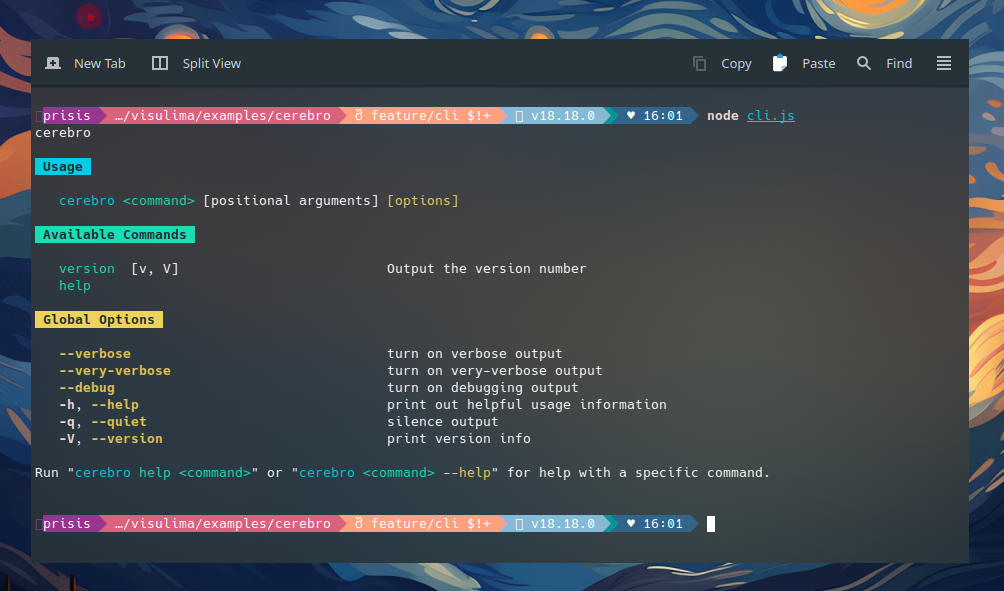
- Help generation
- README documentation generation
- Error handling
- Plugin lifecycle hooks
- Command composition
Zero Configuration
Get started in minutes. Sensible defaults mean you can build a working CLI without any configuration.
Quick Navigation
Quick Start
Get up and running with Cerebro in under 2 minutes
Commands
Learn how to create and configure commands
Options & Arguments
Handle command-line options and positional arguments
Plugins
Extend Cerebro with plugins and lifecycle hooks
Toolbox
Access runtime, logger, and other toolbox features
Key Features
Commands
Define commands with descriptions, options, arguments, and aliases. Commands can be grouped, hidden, or configured with examples.
cli.addCommand({
    name: "build",
    description: "Build your project",
    options: [
        { name: "production", type: Boolean },
        { name: "output", type: String },
    ],
    execute: ({ options, logger }) => {
        logger.info(`Building ${options.production ? "production" : "development"}...`);
    },
});
Options
Powerful option handling with support for:
- Type validation (String, Number, Boolean, Arrays)
- Default values
- Required options
- Aliases
- Negatable options (
--no-prefix) - Conflicting options
- Implied options
Arguments
Positional arguments with type checking and default values.
cli.addCommand({
    name: "greet",
    argument: {
        name: "name",
        type: String,
        description: "Name to greet",
    },
    execute: ({ argument }) => {
        console.log(`Hello, ${argument[0]}!`);
    },
});
Plugins
Extend functionality with plugins that hook into the command lifecycle:
init- Called once during plugin initializationexecute- Called during command execution (extends toolbox)beforeCommand- Called before command executionafterCommand- Called after successful command executiononError- Called when errors occur
Command Composition
Call commands from within other commands using runtime.runCommand():
cli.addCommand({
    name: "deploy",
    execute: async ({ runtime, logger }) => {
        logger.info("Building...");
        await runtime.runCommand("build", { argv: ["--production"] });

        logger.info("Testing...");
        await runtime.runCommand("test");

        logger.info("Deploying...");
    },
});
Installation
bash pnpm add @visulima/cerebro bash npm install @visulima/cerebro bash yarn add @visulima/cerebro Next Steps
Ready to build your CLI? Head to the Quick Start guide to create your first command in minutes!